
Snapchat Redesign
Introduction
Summary
Snapchat messaging is stuck in a linear timeline forcing users to scroll through endless conversations to find meaningful moments. That is why I came up with a solution to change Snapchat into a messaging canvas. By replacing this traditional feature with a web like interface, users are able to connect messages, ideas and moments together and can be revived at anytime. This allows users to express themselves creatively and understand of conversations in group chats perfectly.
Concept & Research
Concept
This design was inspired by my own struggles with not knowing exactly what the group chats were talking about. I got confused with many people having three conversations at the same time. I wondered, how do I see and understand these messages without scrolling all the way to the first question? I would love to say that this was entirely my idea, but treenodes, a data structure from my Computer Science class, and the tools of Figjam inspired this messaging style. I started by writing notes and making rough sketches on what to call it and which app it was most suited for. I had to do some research.
Research
I went out on a mission to find answers, but I learnt there were a lot more people who were in my situation. Some people would recommend avoiding large group chats completely to prevent anxiety and stress, and there was also an article from the National Library of Medicine, which linked group chats to cognitive overload. This is the link to the article if you are interested. There was also research showing that about 30% of context is lost in active groupchats. This was a major issue.By turning messages into this web-style interface, there will be major benefits to users, and it will allow Snapchat to stand out among its competitors.
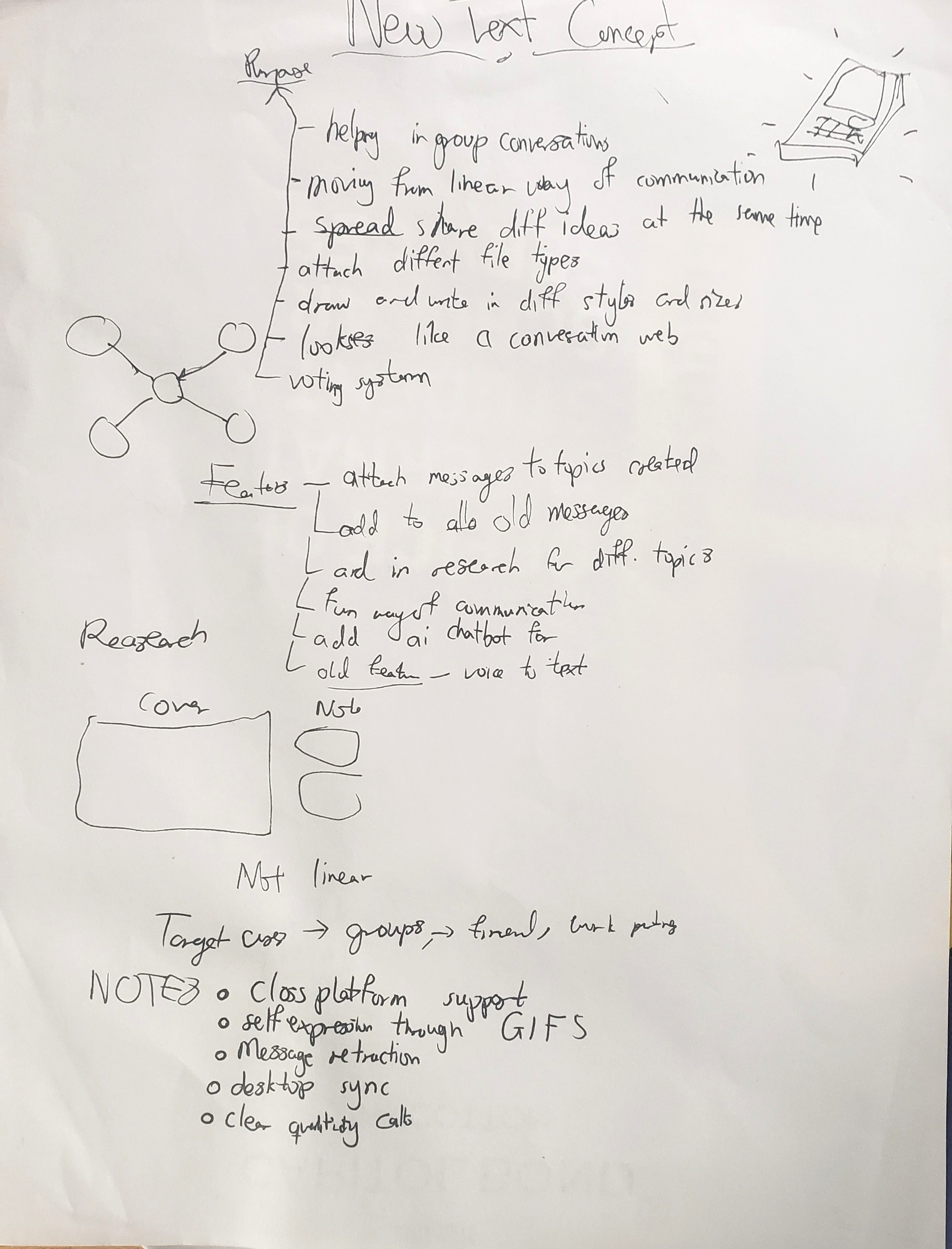
Brainstorming session for the canvas style design
Design
Process
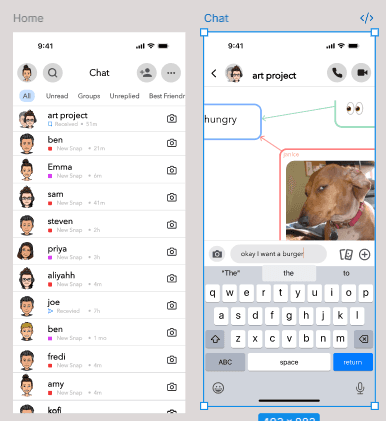
The Graph structure was a major part of this design process. With each message being a node and a reply being a connecting node to the initial message. I also added a button that switches between the node style of messaging and the traditional linear style to ensure accessibility and user retention. I intended to make messaging a playful experience beyond just communicating.
I made a Figma prototype and them converted it into a web app using the Figma Make tool making changes in the react code.
Final prototype with web style messaging
See Prototype
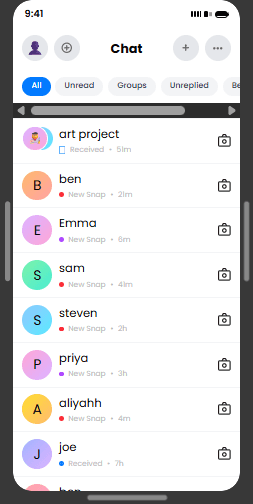
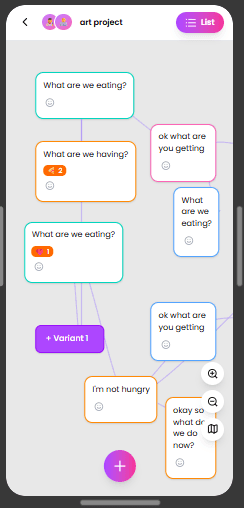
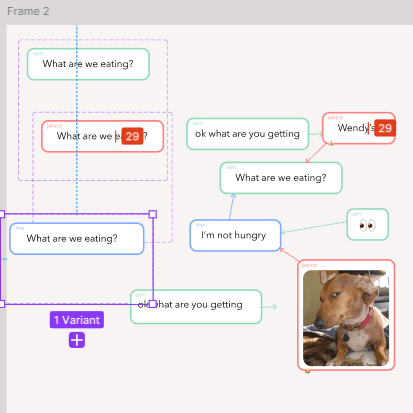
Figma prototype building
Testing
I conducted guerrilla usability testing with five college students from diverse academic backgrounds to observe how they navigated non-linear conversations.
The Consensus: All participants expressed high desirability, noting that the spatial view solved the "scrolling fatigue" of busy group chats.
The Pivot: Testing revealed that while the Node View was superior for context, the Linear View was still preferred for simple, one-word updates.
Interaction Refinement: I moved from "Slide-to-Reply" to a Double-Tap gesture in the Node View to better fit the 2D spatial layout, while preserving standard gestures in the Linear View to maintain muscle memory.
Reflection
These are the ongoing lessons I have learnt in this project.
Mental Model Shift: I learned how to challenge fundamental UI patterns by moving from a rigid linear list to a spatial node system, solving the "Thread Fragmentation" found in traditional group chats.
Strategic Implementation: This project taught me that radical innovation requires a "bridge"—like the linear-to-spatial toggle—to balance visionary ideas with existing user habits and accessibility.
Technical Pragmatism: Balancing this concept with the realities of legacy codebases deepened my understanding of technical feasibility and the importance of designing for developer handoff.
User-Led Validation: Witnessing the immediate desire from users to integrate this feature into their daily lives confirmed that solving a personal pain point often uncovers a significant market gap.
Next Steps
This is my plan for the next phase of design for my project.
AI-Powered Categorization: Explore using LLMs to automatically group incoming messages into topical nodes, reducing the cognitive load required to manually organize a conversation.
Stress Testing at Scale: Conduct usability studies with larger groups (10+ participants) to refine how the spatial canvas handles high-volume, rapid-fire messaging without becoming cluttered.
Spatial Expansion: Prototype the node-based messaging system for the Meta Quest 3 to investigate how "walking through" a conversation translates into a 3D immersive environment.
Developer Handoff Kit: Build a comprehensive technical specification, including graph-based data structures and state management logic, to demonstrate a clear path from design to deployment.